A bit like learning a new convention, it may be confusing to start with, but it worths it in the long run. Here are a few tips for SBC players: tips for signing up:
Signing up / Logging in My ABF:
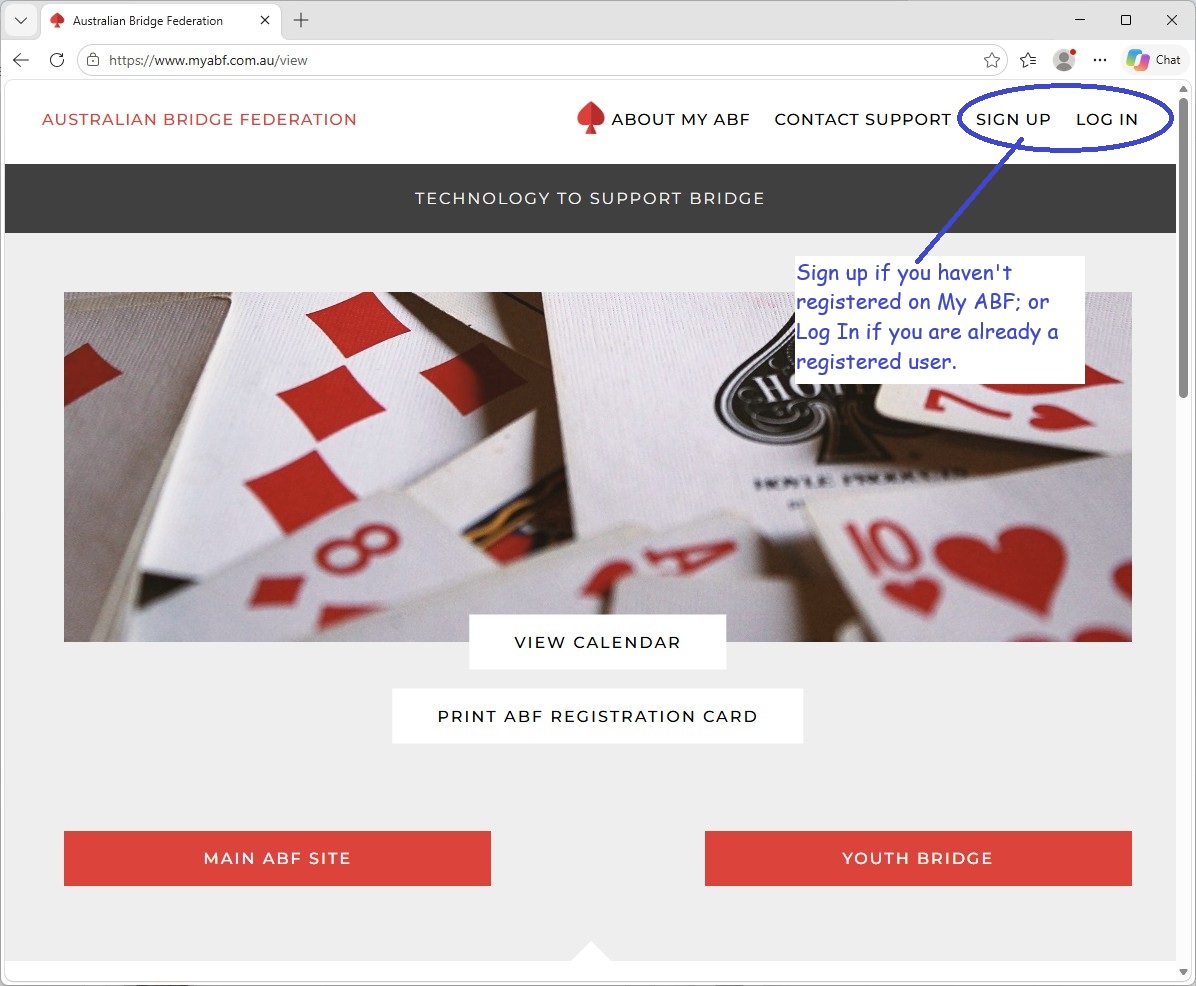
To create an account, please visit www.myabf.com.au* Click the buttons on the top right – “Login” for existing users, and “Sign Up” for new users. You will need your ABF number. If you are not sure about your ABF number, please look it up from the ABF Masterpoints Centre.
*My ABF phone app is designed for congress players for results and draws. Please use any browser to register / login via www.myabf.com.au.
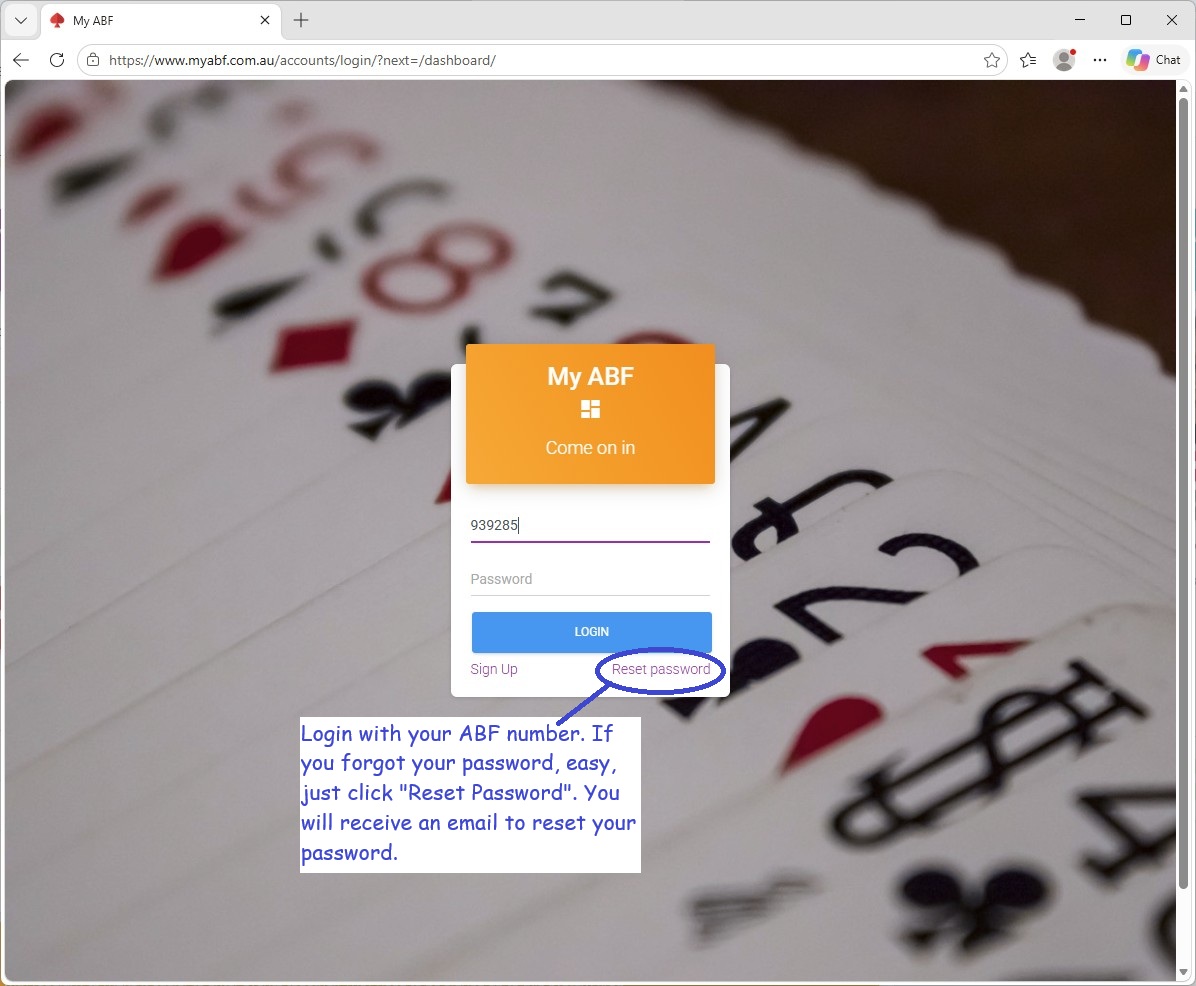
My ABF will send you an email after you sign up, please follow the prompt to activate your account. Because ABF number is unique to each individual, please click “forgot password” if My ABF tells you that you are already registered. My ABF will then send you an email to reset your password.
Finding Events on My ABF:
Pianola is the SBC CRM program, most of our members enjoy its feature of results analysis (in terms of roles). My ABF is a national program for all bridge players to enter events and make payment to specific events. My ABF is developing more features which SBC will gradually transition to. Currently, SBC lists and manages bookings for Education Seminars, Workshops, SBC Congresses and some special events. The following tips are focused on these areas:
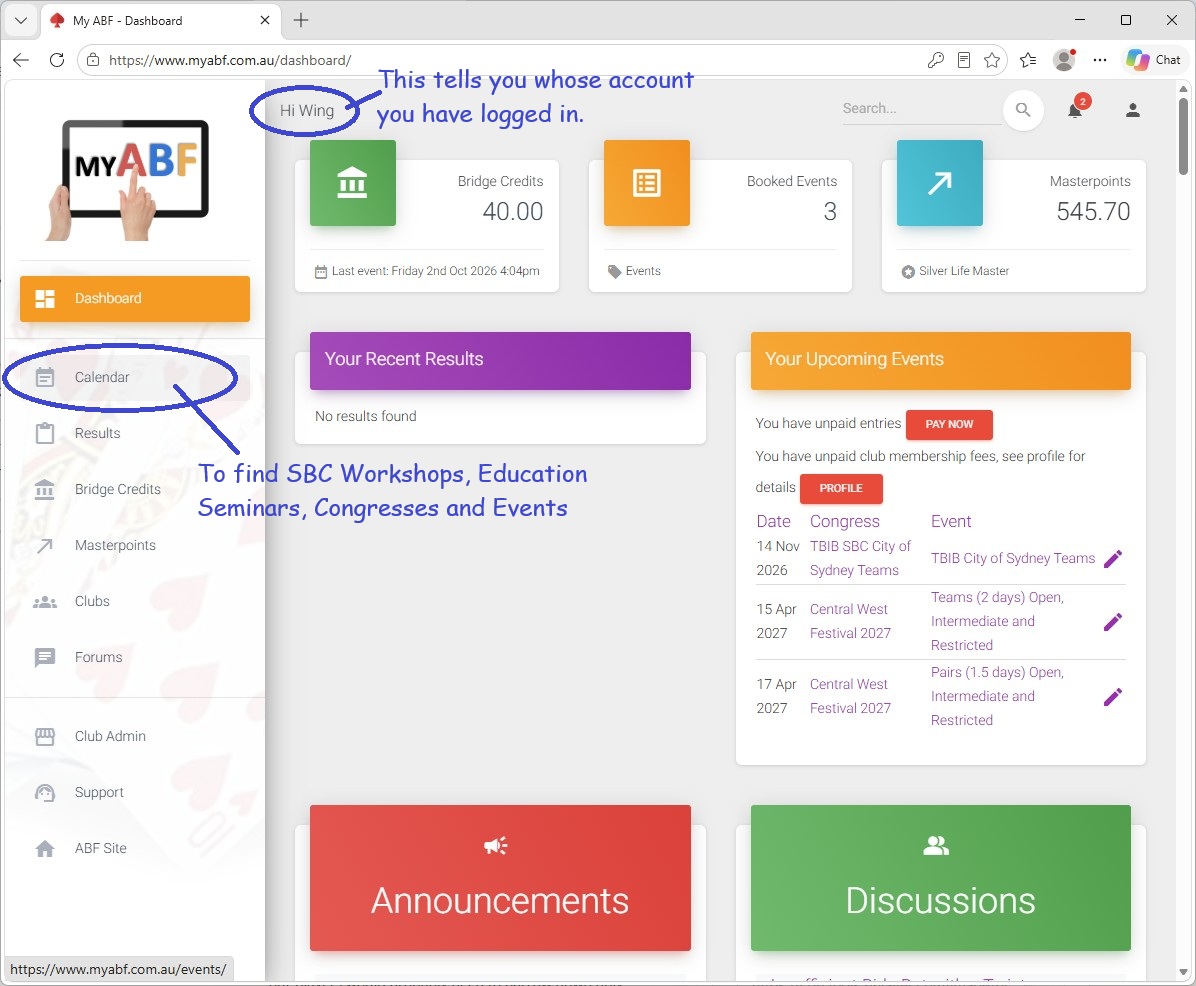
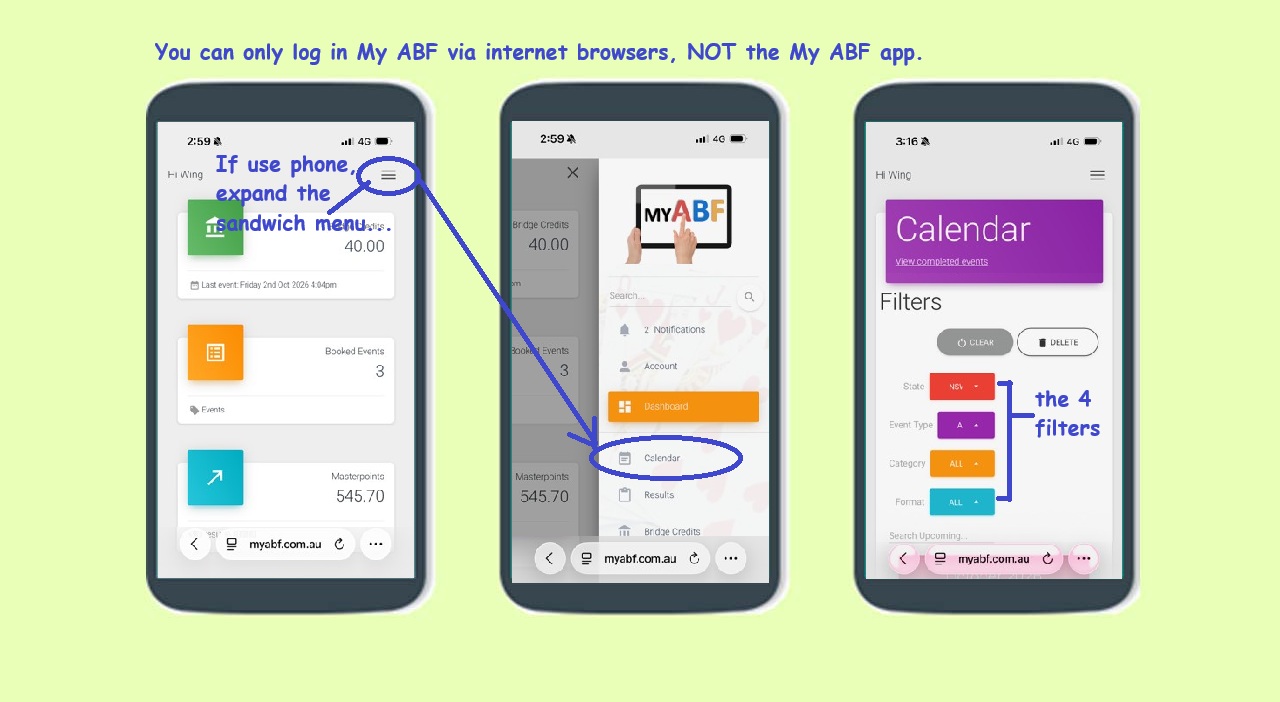
- To find an event, using “Calendar”. If you login My ABF on any browser on a desktop computer, the “Calendar” button will show up on the vertical menu on the left hand side. If you login My ABF on a phone, you will need to tap the sandwich menu (the 3-lines icon) on the top right, the “Calendar” button will display in the expanded menu.
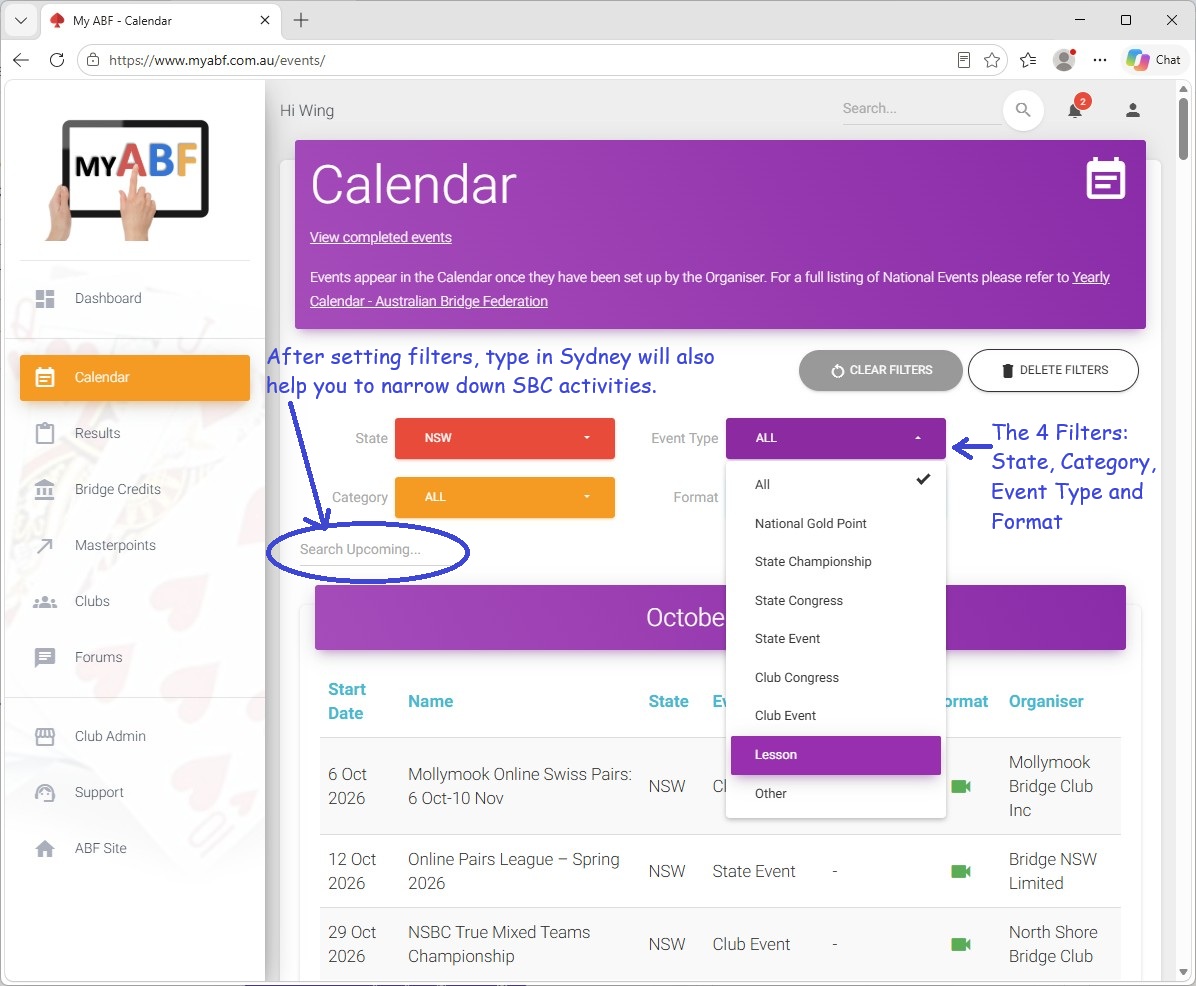
- The Calendar button will take you to a full list of bridge activities. Because My ABF is a national program, most of our players would probably need to narrow down only SBC events by using the filters (there are 4) –
- Filter “State” : choose “NSW”
- Filer “Event Type” : For Education Seminars and Workshops, choose “Lesson”. For SBC Congresses, choose “Club Congresses”.
- If you want to narrow down only to SBC after the first two steps, just type in “Sydney” on the “Search Upcoming”.
Entering events and Making Payment on My ABF:
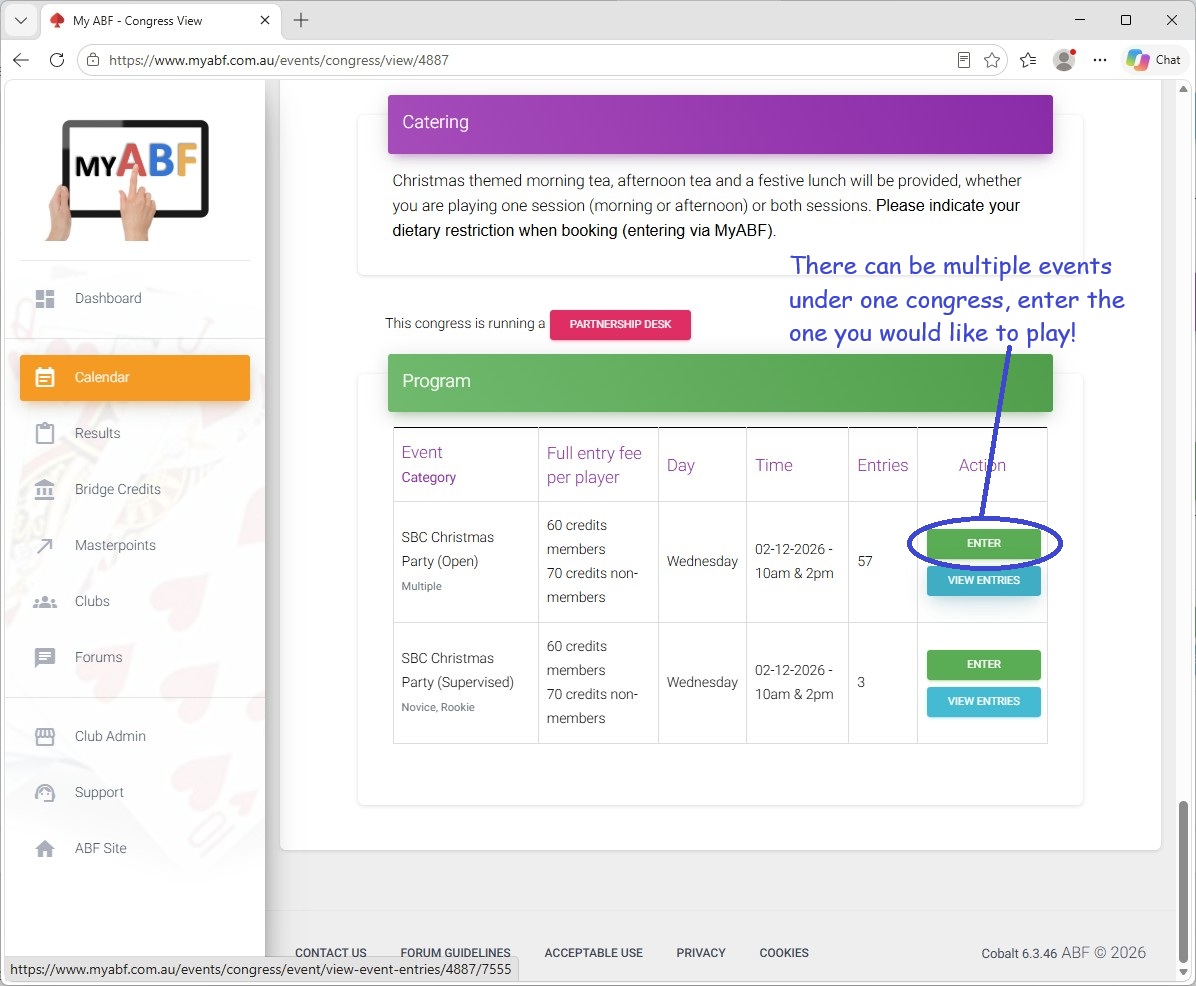
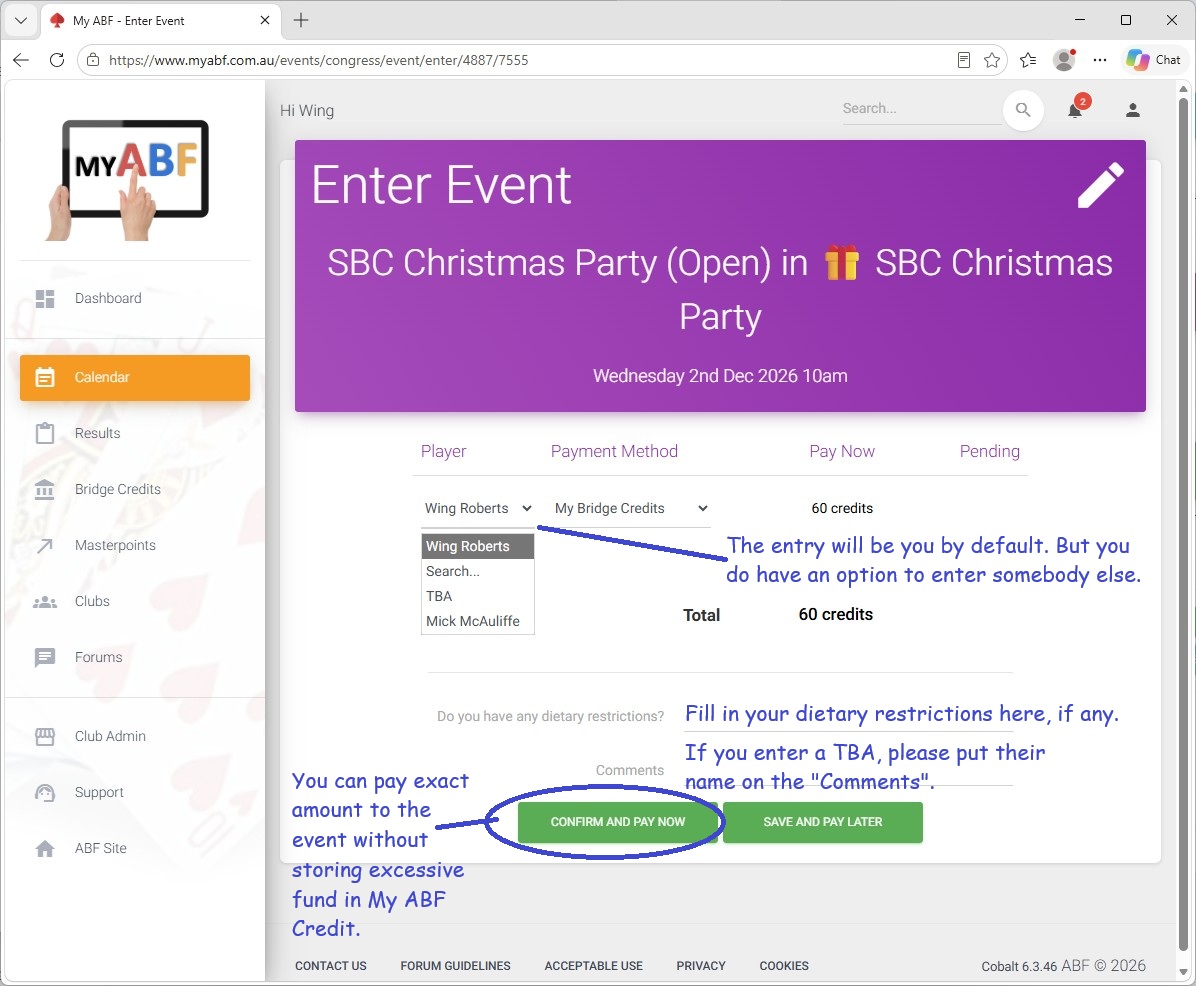
Once you find the event, you can simply use the “enter” button to book in for the event. You can choose to pay exact amount for each event, and choose to store spare fund for other bridge activities (it’s called My ABF Credit) once you get used to the program.
You can also book these activities in the club room, and pay using your credit or debit card. (We no longer accept payment via the club PP system for these activities). For all enquiries or help with bookings or payments, Marie Claire can help. She is in the clubroom Monday to Friday mornings, or can be reached at memberservices@sydneybridgeclub.org.au.
To renew via My ABF:
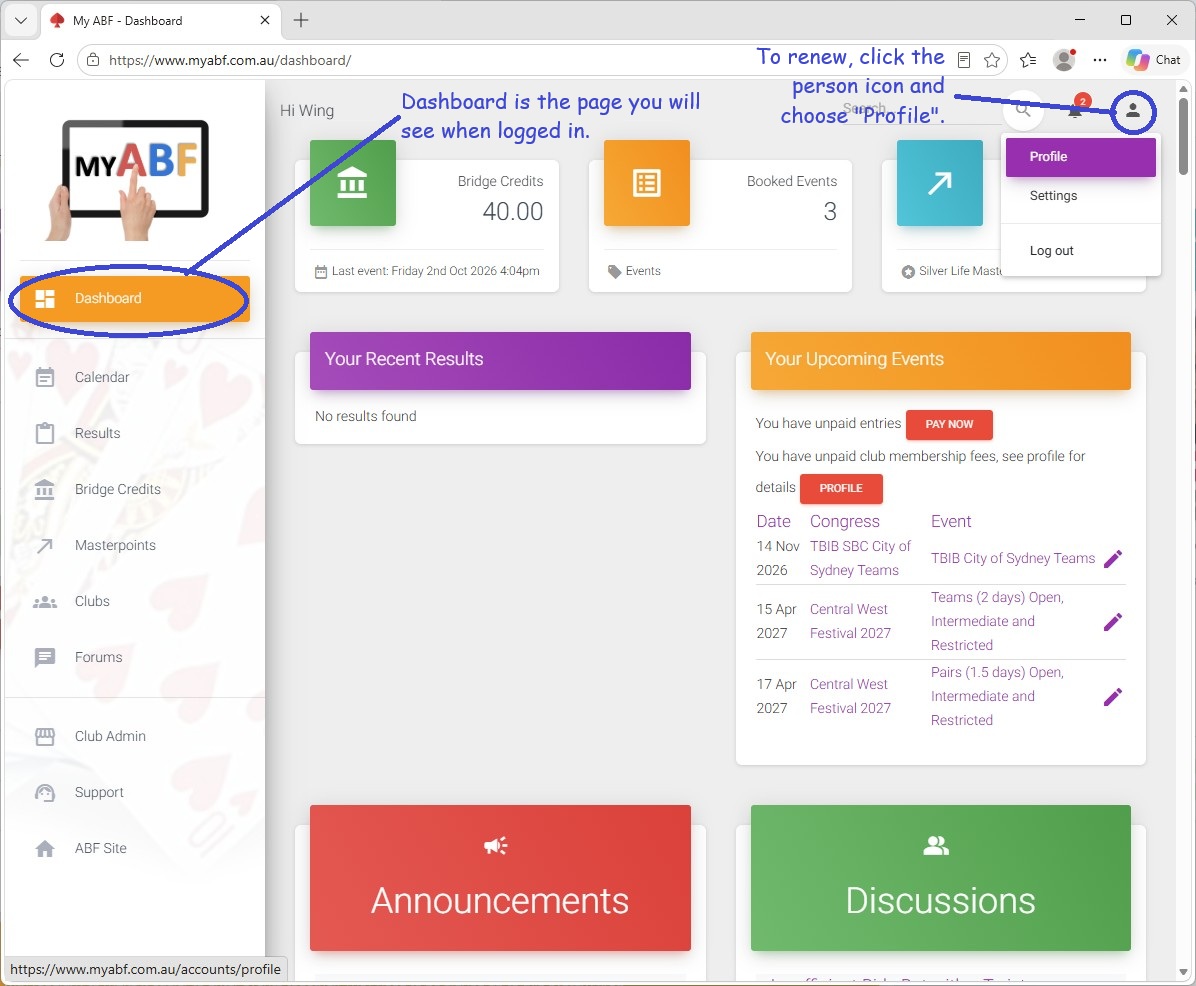
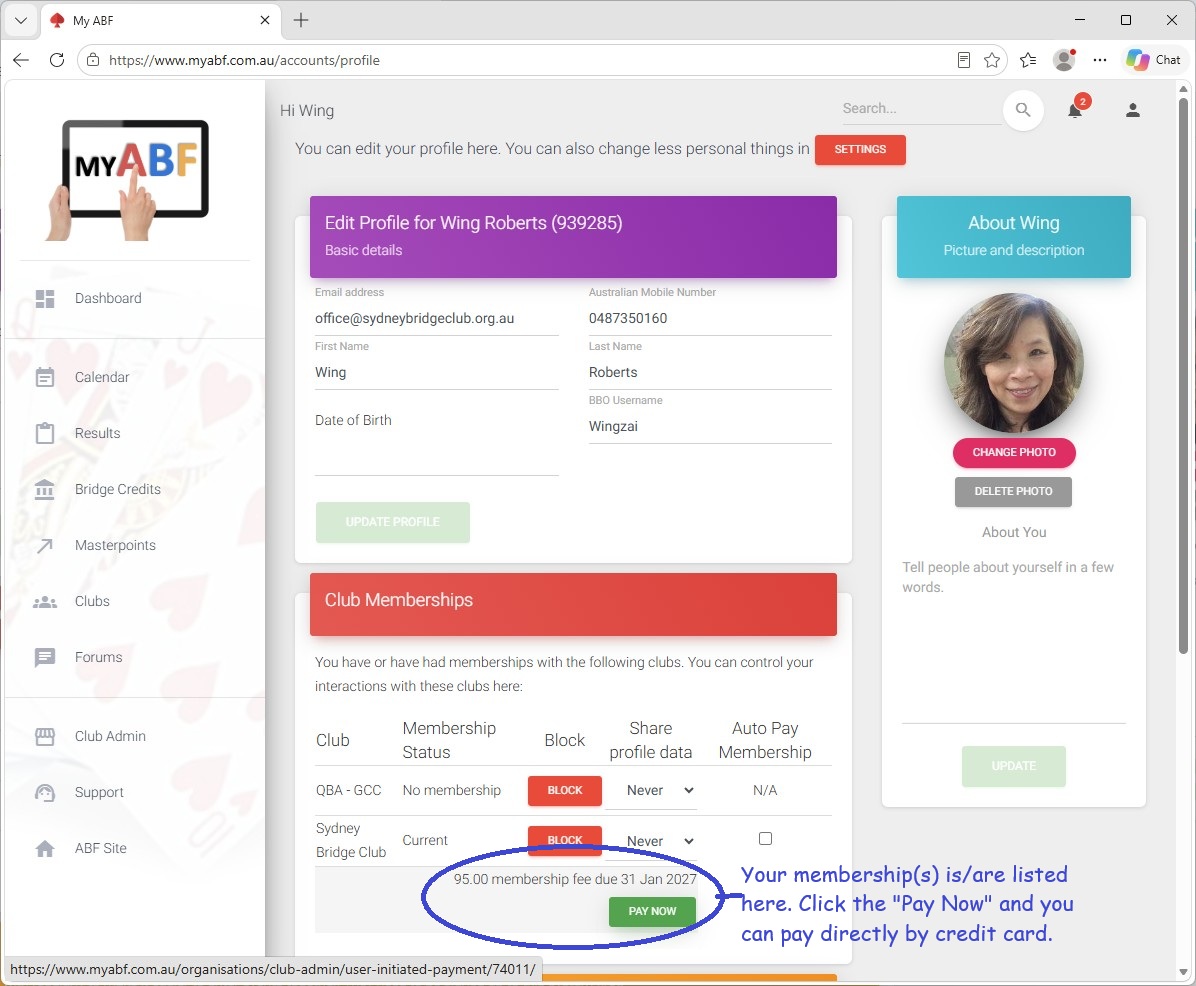
If you are a registered user on My ABF, you can renew your membership there. Please click the person icon on the top right, and choose “Profile” in the drop down menu. If you login My ABF on a phone, you will need to click the sandwich menu, then choose “Account”, then “Profile”.
Your membership(s) with different club(s) will be listed here. You can pay by credit card clicking the “Pay Now” button.
It’s handy to have a My ABF account – it provides the one-stop shop for managing your entries in bridge activities.
If you prefer to renew your membership by other methods, please contact Marie Claire on memberservices@sydneybridgeclub.org.au.